|
1) Outlook Express
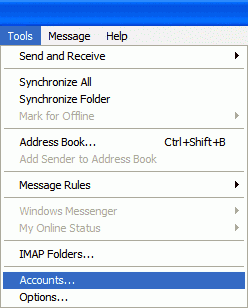
2) From the drop-down menus, select Tools-Accounts
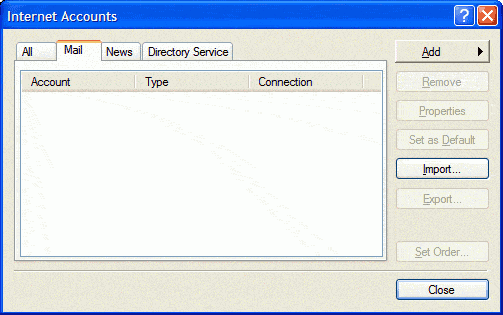
3) Click the Mail tab, then on the Add button and select Mail
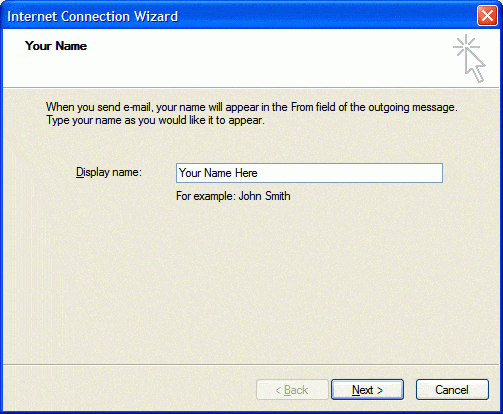
4) In the Display name box enter your name as you wish it to appear
at the recipient's end
5) Click Next
6) In the Email address box enter your email address (ex:
userid@thejnet.com)
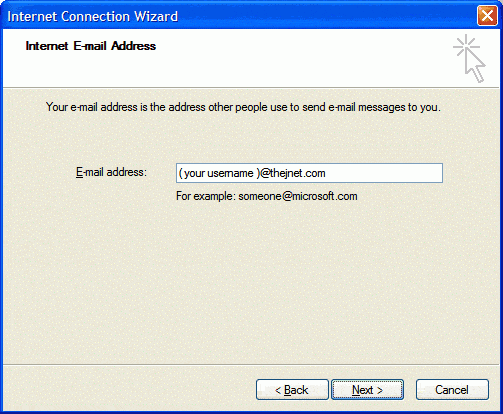
7) Click Next
8) Enter the mail server information as shown below
- Incoming Mail Server: pop.thejnet.com
- Outgoing Mail Server: smtp.thejnet.com
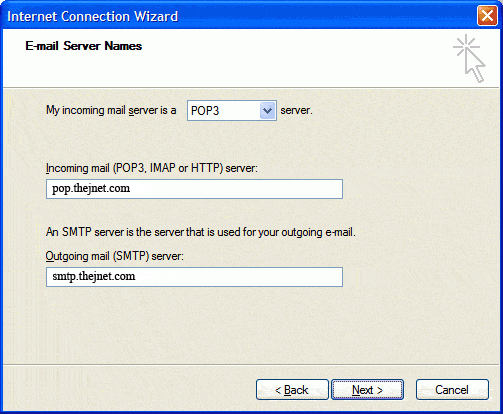
9) Click Next
10) In Account name insert your Email Address.
(Note: your password will echo as
asterisks. Be sure you enter your password correctly.
Passwords are
case-sensitive.)
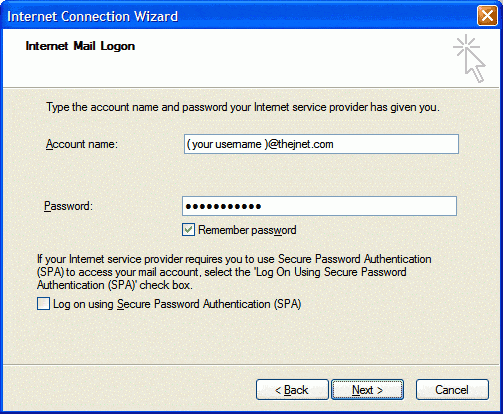
11) Select Next
12) Click Finish.
13) Select the newly created account, and click on Properties.
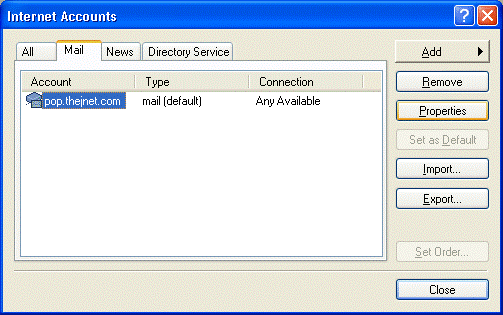
14) Click on the Servers tab. In the Outgoing Mail Server section, check
My server requires authentication, then click OK.
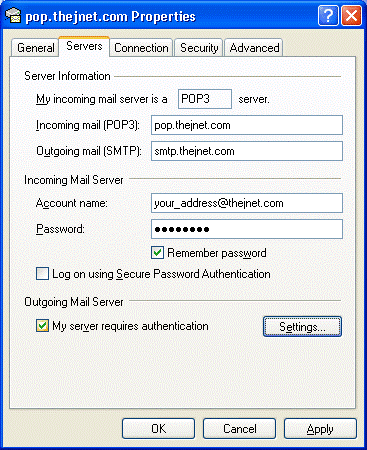
15) Now click Close, and you are all done!
|